Transaction Collection Export
Parks & Rec > Transaction > Collection Export
The Collection Export option creates a .csv export file or an Incode Financials file. The type of export file created is defined in the Type field in the Collection Export Settings group on the Integration Settings page in the System Setup group on the Administration tab.
The Collection Export option creates a file of Parks & Rec payment information that may be used in balancing your organization’s daily deposit.
The Type is set to Fee Payment, and the Status is set to Complete; these fields cannot be changed. The default value for the Collection Export Status is Not Exported, but you may change it.
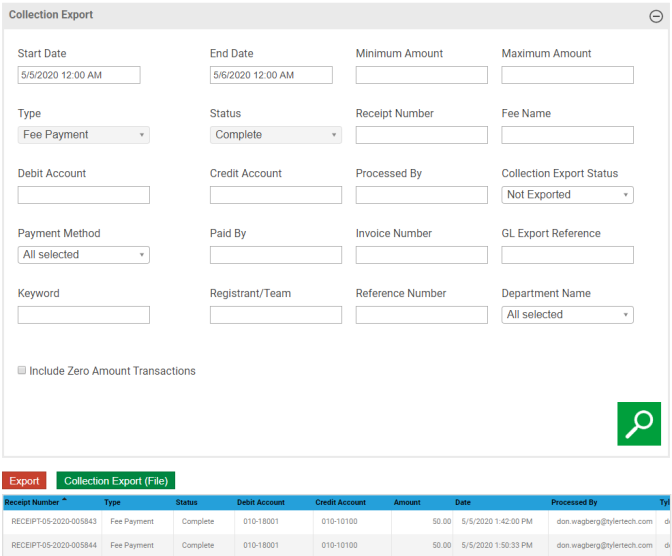
The Start Date and End Date fields specify a time interval for records to include in the search; the remaining search fields provide multi-select functionality, which allows you to select one or more criteria from each list.
To include $0.00 receipts in the collection export, select the Include Zero Amount Transactions check box.
Customers using Incode Version 9 in Collection Export Integration Settings will not include unexported voided collections.
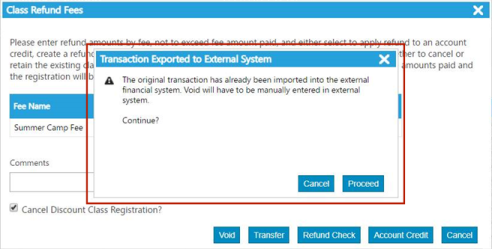
If a collection has been exported, attempting a void notifies the user of the need to adjust the external financial system manually.